AirTag location historyFind My shows you one pin.
Your stuff has a whole journey.
AirTag History builds the AirTag location history Apple doesn't keep: it checks in every five minutes and records every stop, every detour, every day your boxes sat in a warehouse instead of moving.
Free for 7 days · No card · Pay only if you need the evidence report
Not a mockup. Both panels are my own car keys, shipped from Tacoma to my door in Ljubljana, and the route on the right is plotted straight from this database. How that trip went →
How it works
Three steps between you and a timeline
No new hardware. AirTag History builds history from the AirTags and the Find My network you already use.
Connect your Apple ID
Sign in once so AirTag History can see the AirTags registered to your account, and only yours. Your password is never stored; we keep short-lived tokens, nothing else.
Tag what's moving
Drop AirTags into moving boxes, suitcases, the piano crate, the car on the transport truck. Every tag on your account joins the timeline automatically.
History starts building from now, not before
There's no back-catalogue to import: your timeline starts empty and begins filling the moment you connect. From then on, every five minutes we decrypt each incoming Find My ping and save the latitude, longitude, and timestamp to your database, building a route history Find My throws away. Connect before the truck leaves, not after.
Who it's for
Built for the week your whole life is on a truck
You have 75 days to file. Make them count.
Missed pickups, delayed shipments, and claims that come down to what you can actually prove. A PCS puts your household in someone else's hands for weeks, on someone else's schedule.
Full replacement value if you file within 75 days of delivery; depreciated value after 180. A timestamped route history is the difference between your word and your evidence.
Know where the truck stopped overnight
Your household is in someone else's hands for days. AirTag History gives you the answer Find My can't: not just where your boxes are, but where they've been, and how long they sat there.
The port is where things disappear
Overseas moves take three to eight weeks door to door, and most of that is spent sitting somewhere you can't see. AirTag History covers the pickup, the port, the dwell, and everything after arrival.
The journey, not just the carousel
Airlines now accept Find My sharing when a bag is lost, so that's the crisis covered. AirTag History covers the rest: which airports your bag actually transited, how long it sat in Frankfurt, and the trip log to prove it.
Keys, bikes, cars
An always-on timeline for anything you tag day to day. AirTags aren't GPS; they ping off nearby iPhones, so history is richest in cities and along busy routes, and quieter in the middle of nowhere.
The evidence report
When the mover says “it never left the warehouse,” you'll have receipts
- ✓Timestamped PDF export — every location snapshot with time, place, and coordinates, formatted for a claims adjuster, not a data scientist.
- ✓Stops & dwell detection — unplanned overnight stops and week-long warehouse stays are flagged automatically.
- ✓Named places — reverse-geocoded labels, so the report says “Bakersfield, CA” instead of a raw coordinate.
- ✓Dispute-ready — a move costs thousands. When something goes wrong, a timeline is the difference between your word and your evidence.
People pay $45 for a Carfax report before buying a used car. One report, bought once, because the stakes are high and the information isn't available anywhere else. This is that purchase, for the week your entire household is in someone else's truck.
ISSUED 01 JUL 2026
Five questions it answers
- Did it arrive — and exactly when?
- Did it ever go near that address?
- When did it leave?
- Where was it last seen, and how did it get there?
- Which borders did it cross, and when?
Privacy & security
Your tags. Your account. Your history.
Not a scam — and your password is never stored
Signing in with Apple asks for trust, so here's the plain truth: AirTag History never takes over your account. You enter your Apple ID password once so we can sign in on your behalf — it's used only to establish the session, then discarded; never written to disk or logged. All we keep are the short-lived tokens needed to read locations for your own tags. We can't change your settings, read your messages, lock you out, or touch anyone else's account. Reconnect if the tokens expire; that's the extent of it.
Your data is yours alone — and deleted on request
Every tag, location, and session belongs to exactly one account: yours. Your history is never pooled, cross-referenced, or aggregated with another user's — your account is the boundary, and nothing crosses it. We keep it only for as long as you're using AirTag History; ask us to delete it and we will, permanently.
Only your own tags — never people
History can only be built for tags registered to the Apple ID you sign in with — the cryptography doesn't allow anyone else's, and neither do we. AirTag History is for your boxes, bags, and bikes: we support Apple's and Google's unknown-tracker alerts and publish a clear acceptable-use policy against tracking people.
Pricing
Start free. Pay for the days that matter.
A move is one episode, not a subscription. Start with seven free days of tracking, then buy a pass that covers your journey. Whatever gets recorded is yours to keep and stays visible forever, paid or not.
The average US move costs about $3,000. International moves run $6,500 to $16,500. When something goes missing, the liability your mover owes you by default is 60 cents per pound.
A timeline costs $49.
Free
$07 days · no card required
Watch the timeline build in real time and decide later.
- Live tracking, unlimited AirTags
- Full route timeline, 5-minute polling
- 7 days of tracking from the moment you connect
- Recording pauses after that — your history stays, permanently
Track
$19One-time · 30 days
For a single trip, a shipped car, or one box you care about.
- Everything in Free
- 30 days of tracking
- CSV and GPX export
The Move
$49One-time · 90 days
Catch the depot stall, and have proof if something's lost or broken.
- Everything in Track
- Stops & dwell-time detection
- Timestamped PDF evidence report
- Priority human support during move week
Long-haul
$89One-time · 6 months
For containers and overseas moves that sit in ports for weeks.
- Everything in The Move
- 6 months of tracking
- Covers the claim window after arrival
Capture guarantee. If we don't record a usable route for your move, you don't pay. Full refund, and you keep the report.
History can't be reconstructed after the fact. Connect before the truck arrives, or the route is gone for good.
Always On
For the things that never stop moving: keys, bike, car, camera bag. Continuous tracking with no pass to start or expire.
$4PER MONTH · OR $39/YEAR
Add Always OnYour Apple ID
What signing in actually does, in plain terms
You're being asked to sign in to a service you've never heard of. That deserves a straight answer rather than a badge, so here is exactly what happens.
This is an unofficial tool, and we'd rather you heard that from us. Apple doesn't publish an API for AirTag history, so we work with the same Find My infrastructure your own devices use. That means Apple could change something and break us. If that happens we'll email everyone with an active pass the same day, and if you're holding a pass that stops working, you get your money back.
We never sell your data. Ever.
Not to advertisers, not to data brokers, not to insurers or moving companies. There are no analytics or advertising trackers on this site. Every tag, location, and session belongs to exactly one account: yours. Never pooled, cross-referenced, or aggregated with another user's. Ask us to delete it and it's gone, permanently.
Things, not people
History only works for tags registered to the Apple ID you sign in with. The cryptography doesn't allow anyone else's, and neither do we. We support Apple's and Google's unknown-tracker alerts, and our acceptable-use policy prohibits tracking people.
Nothing was stolen. I still needed the record.
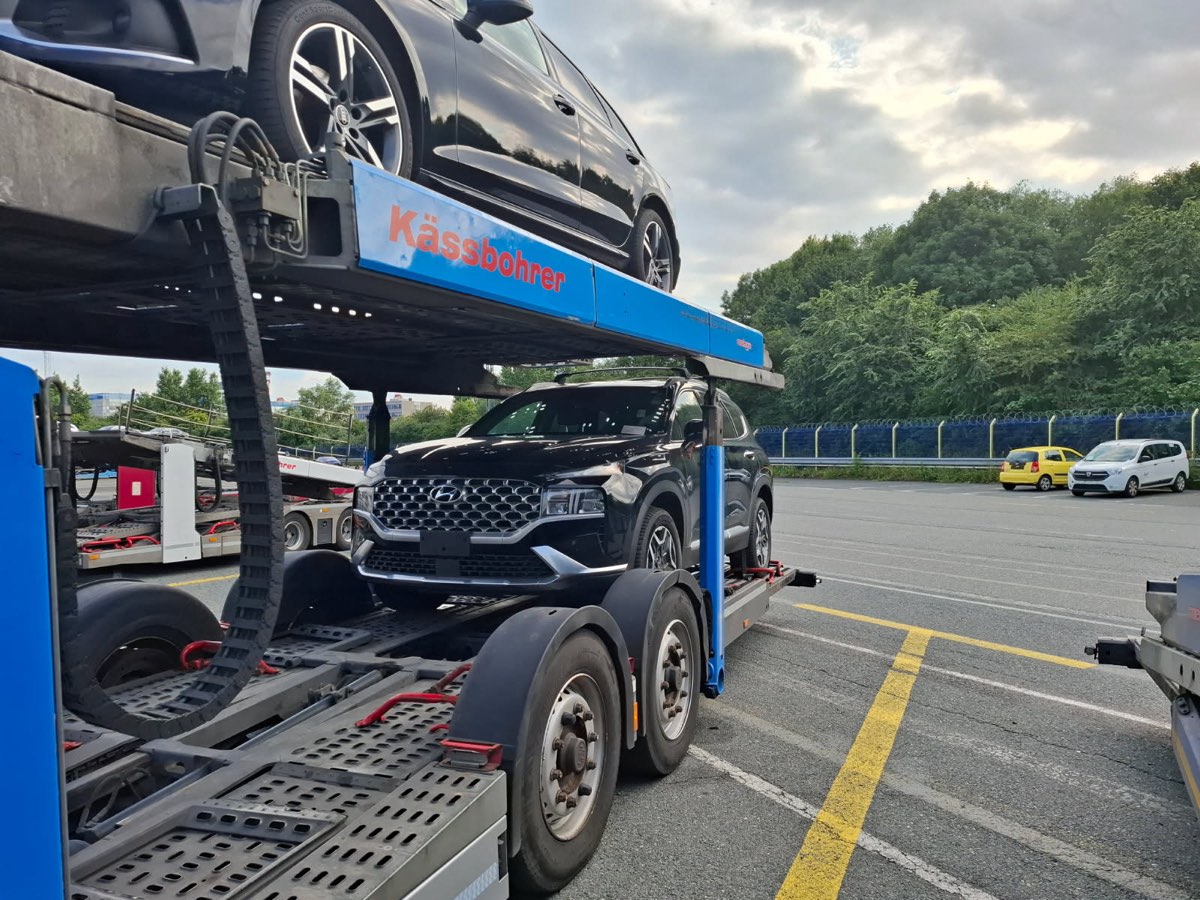
I shipped a car and everything I owned from Tacoma to Ljubljana. I handed the keys over at the port on 23 April 2026 and got into a taxi. One AirTag was inside the car, one on the keys inside it, one in each suitcase.
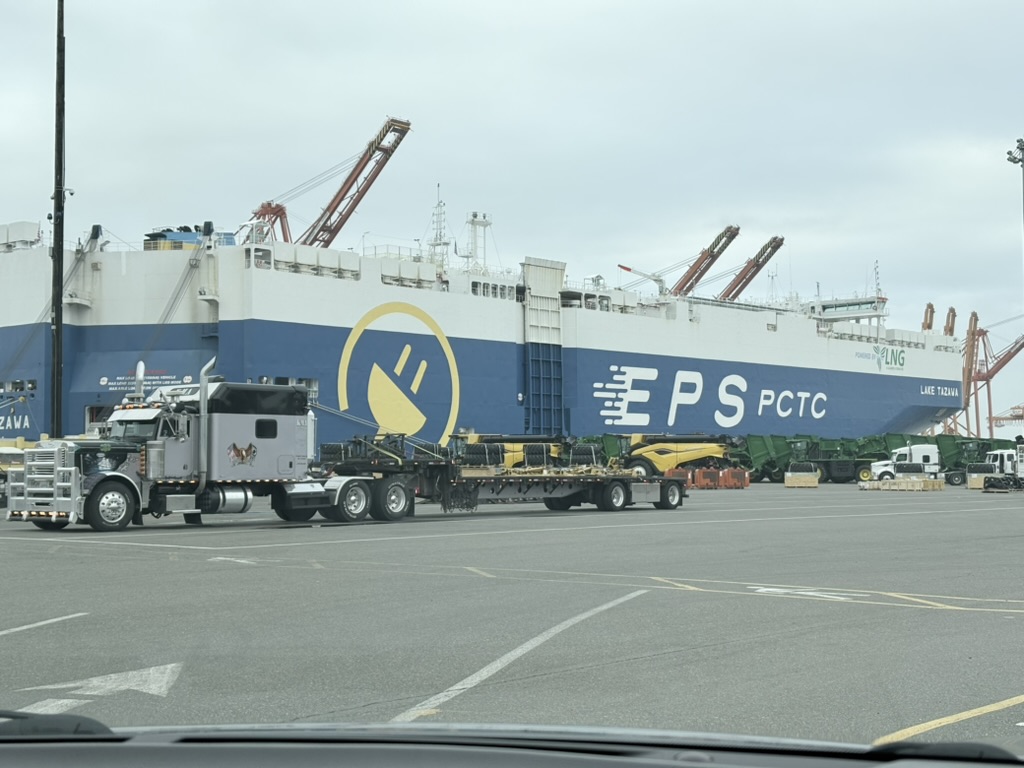
For the next 69 days, the only thing anyone would tell me was that the car had not yet failed to arrive.
“At this point we can only confirm what the carrier tells us. A claim can only be filed if the car does not arrive at the destination.”my freight forwarder, 4 June
That was the reply to me sending coordinates showing my car's tag sitting on a residential street in Colón, three kilometres outside the terminal, while the keys stayed with the ship. I was certain it had been stolen. It hadn't been: someone had taken the tag out of the car and left it there. I know that only because a second tag kept moving.
Everything else I learned the same way, from my own map rather than from anyone I was paying. The shipment sat in Colón for 24 days. It finished the crossing on a second ship, not the one it started on. It crossed the Atlantic between 13 and 23 July and produced two location updates in all that water. It cleared Bremerhaven on 23 July, and the driver bringing it south stopped for the night near Koblenz, which is how I knew to be standing outside my building on the 31st.
The car arrived in Ljubljana late in the afternoon on Friday, 31 July — the same day my T1 temporary-import paperwork had to be closed. The customs office had already shut for the weekend. The deadline passed while the car stood outside my building, and the delay was never mine.
31 July · the day the record mattered
“A timestamped Location Evidence Report from AirTag History showed exactly when it arrived, so I could prove it was not my fault that I could not close the T1 before the deadline.”
Nothing was stolen and no claim was filed. That is still the product: the same ending, but not blind, with a record when it mattered.
Find My showed me every one of those positions, one at a time, and kept none of them.
Grega Kespret · I built AirTag History
FAQ
Questions movers actually ask
Why doesn't Find My show AirTag location history?
Because Apple keeps no location history to show. Find My holds a single most-recent snapshot per AirTag and overwrites it with each new one, as a deliberate privacy design — the reports are end-to-end encrypted and Apple stores nothing readable. Once your boxes move on, yesterday's location is gone, with nothing on Apple's side to fall back on.
Can I see AirTag location history from before I signed up?
No, and no tool can provide it, because the data was never written down anywhere to import. Apple keeps no history to hand over, and the old trick of reading a Mac's local Find My cache stopped working with macOS Tahoe. An AirTag History timeline starts empty and fills from the moment you connect, so connect before a move, not after it.
Why doesn't an AirTag report a new location every 5 minutes?
Because AirTags have no GPS and no cellular radio. AirTag History polls Apple every 5 minutes, but Apple only has something new when a passing iPhone has come within Bluetooth range and relayed a sighting. A tag in a city or a moving truck updates often; one in a quiet warehouse can go hours; mid-ocean there are no iPhones at all. The timeline shows those gaps honestly rather than guessing a line through them.
Can I use AirTag History to track a person?
No, and it is built so you cannot. AirTag History only reads tags on the Apple ID you sign in with, the acceptable-use policy prohibits tracking people, and we support the unknown-tracker alerts built into iOS and Android that warn someone an unfamiliar AirTag is travelling with them. This is a tool for things, not people.
What happens when my pass expires?
Recording pauses: we stop asking Apple where your tags are, so no new locations are saved. Nothing vanishes. The timeline you already built stays fully visible and exportable, forever, and we never hide history behind a payment. Because location history cannot be reconstructed after the fact, anything that moves while recording is paused is gone for good — buy a new pass before the journey resumes, or add Always On.
I'm in the EU. What about refunds?
EU and UK buyers get the 14-day right of withdrawal on digital services, and the capture guarantee sits on top of it: if we don't record a usable route for your move, you don't pay — full refund, and you keep the report. A refund ends the pass, but never deletes the history it recorded.
Moving day is coming
Tag the boxes before the truck arrives
Set up AirTag History in ten minutes, for nothing. When someone asks where the truck stopped overnight, you'll be the one with the answer.